zilleq
Active member
- Joined
- Sep 24, 2026
- Messages
- 39
- Reaction score
- 83
Nitro PDF Pro Enterprise is an enterprise software suite designed for creating, editing, converting, signing, and managing PDF documents at scale. It serves as a primary alternative to Adobe Acrobat for corporate environments, thanks to its lower licensing costs and a familiar, Microsoft Office-style interface.
Its core features are organized into four key pillars:
1. Advanced Editing and Conversion
• Comprehensive editing: Allows for modifying text, correcting paragraphs, organizing pages, and manipulating graphics directly within a PDF.
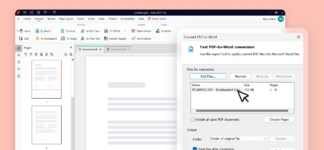
• Precise conversion: Converts PDF files into editable formats—such as Word, Excel, and PowerPoint—(and vice versa) while preserving the original layout.
• OCR technology: Transforms scanned documents or images into fully editable, searchable text.
2. Artificial Intelligence Features (Nitro AI)
• Integrated assistant: Automates workflows, summarizes lengthy texts, and assists in drafting or rewriting content directly within the application.
3. Electronic Signatures and Corporate Security
• Legally binding digital signatures: Integrates the Nitro Sign platform, enabling the secure sending and signing of documents with legal validity under international frameworks (such as eIDAS).
• Permanent redaction: Utilizes the "Smart Redact" tool to irreversibly remove sensitive information before files are shared.
4. Centralized Management (Enterprise/Plus)
• Large-scale administration: Simplifies software deployment across thousands of computers via a unified web portal (Nitro Admin).
• Security and integration: Includes support for Single Sign-On (SSO), data protection via Azure Information Protection, and compliance with privacy standards (SOC 2, ISO 27001, HIPAA).
• Usage metrics: Features Nitro Analytics to monitor which tools the team is using, while measuring paper savings and operational efficiency.
Homepage:
Its core features are organized into four key pillars:
1. Advanced Editing and Conversion
• Comprehensive editing: Allows for modifying text, correcting paragraphs, organizing pages, and manipulating graphics directly within a PDF.
• Precise conversion: Converts PDF files into editable formats—such as Word, Excel, and PowerPoint—(and vice versa) while preserving the original layout.
• OCR technology: Transforms scanned documents or images into fully editable, searchable text.
2. Artificial Intelligence Features (Nitro AI)
• Integrated assistant: Automates workflows, summarizes lengthy texts, and assists in drafting or rewriting content directly within the application.
3. Electronic Signatures and Corporate Security
• Legally binding digital signatures: Integrates the Nitro Sign platform, enabling the secure sending and signing of documents with legal validity under international frameworks (such as eIDAS).
• Permanent redaction: Utilizes the "Smart Redact" tool to irreversibly remove sensitive information before files are shared.
4. Centralized Management (Enterprise/Plus)
• Large-scale administration: Simplifies software deployment across thousands of computers via a unified web portal (Nitro Admin).
• Security and integration: Includes support for Single Sign-On (SSO), data protection via Azure Information Protection, and compliance with privacy standards (SOC 2, ISO 27001, HIPAA).
• Usage metrics: Features Nitro Analytics to monitor which tools the team is using, while measuring paper savings and operational efficiency.
Homepage:
Please,
Log in
to view URLs content!