zilleq
Active member
- Joined
- Sep 24, 2026
- Messages
- 32
- Reaction score
- 68
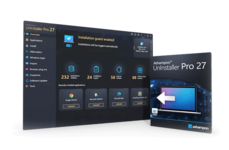
Ashampoo UnInstaller is specialized optimization software for Windows designed to completely remove programs, system applications, and browser add-ons, leaving no residual traces behind. Unlike the native Windows uninstallation tool—which often leaves behind temporary files, empty folders, and registry entries—this program ensures a thorough cleanup to keep your system fast and organized.
Key Features
5-stage uninstallation: Employs multiple phases, ranging from a standard uninstall and an analysis of its profile database to a deep clean of the hard drive and the Windows Registry.
Real-time monitoring: Keeps a detailed record of every change a program makes during installation. This ensures that when it comes time to remove the program, the software knows exactly which files to delete.
Forensic analysis: If a program was installed before you began using Ashampoo UnInstaller, the software can retroactively analyze any remaining traces to ensure they are completely removed.
Bloatware removal: Easily uninstall intrusive toolbars, obscure browser extensions, and pre-installed Windows applications that are typically difficult to remove.
Maintenance tools: Includes additional modules such as registry optimizers, a privacy traces cleaner, and tools for managing programs that launch at system startup.
Homepage:
Key Features
5-stage uninstallation: Employs multiple phases, ranging from a standard uninstall and an analysis of its profile database to a deep clean of the hard drive and the Windows Registry.
Real-time monitoring: Keeps a detailed record of every change a program makes during installation. This ensures that when it comes time to remove the program, the software knows exactly which files to delete.
Forensic analysis: If a program was installed before you began using Ashampoo UnInstaller, the software can retroactively analyze any remaining traces to ensure they are completely removed.
Bloatware removal: Easily uninstall intrusive toolbars, obscure browser extensions, and pre-installed Windows applications that are typically difficult to remove.
Maintenance tools: Includes additional modules such as registry optimizers, a privacy traces cleaner, and tools for managing programs that launch at system startup.
Homepage:
Please,
Log in
to view URLs content!